Authenticity Center
Verify your device is genuine {pboot:if('YueQianBao — independent Ledger English service hub (not official). Focused on three things: verifying the official portal, comparing models, and following usage guides; with seed/PIN safety and phishing awareness.'!='')}YueQianBao — independent Ledger English service hub (not official). Focused on three things: verifying the official portal, comparing models, and following usage guides; with seed/PIN safety and phishing awareness.
{/pboot:if}Which Channels Particularly Need an Authenticity Check
The channel determines how much verification work you should do post-arrival.
Minimal check
ledger.com or top-tier authorised resellers — run the standard unboxing checklist and the Genuine Check.
Extra-careful check
Unverified marketplace sellers, second-hand platforms, or device received as a gift from an unknown source — run the full seven-step unboxing check, plus factory reset and re-initialise to be safe.
Refuse outright
Any seller who asks for your recovery phrase, offers to 'initialise for you', or ships an already-activated device.
Safety reminder: Never share the recovery phrase or PIN. Low prices and unknown channels are high-risk; verify authorisation and seals, and if in doubt, cancel the order or return the device immediately.
How the Official Firmware Genuine Check Works
The Genuine Check is Ledger's cryptographic proof that the device's secure element came from Ledger's factory and has not been swapped.
How it works
Ledger Live issues a challenge to the device; the secure element signs a response using a key only a real Ledger secure element holds; Ledger Live verifies the signature against the official public key.
Running the check
- Connect the device to Ledger Live.
- Open My Ledger — the check runs automatically.
- Watch for the 'Genuine' confirmation.
- If not genuine, stop using the device and contact official support.
Safety reminder: Use only the official Ledger site and Ledger Live. Never type your recovery phrase or PIN into a webpage and never share them with anyone. Pause and verify the moment anything looks unusual.
Why You Shouldn't Accept an 'Activated' Ledger — The Risk Mechanism
An 'already activated' Ledger — regardless of how convincingly the seller explains it — carries the same risk profile: someone else may still hold the recovery phrase.
The mechanism
If the phrase was generated outside your control, you cannot prove only you hold a copy. The previous holder can restore the wallet on another device at any time and drain funds.
Why resellers do this
- Shortcut the initialisation — 'so you can use it immediately'.
- Hide that the device is second-hand.
- Run a long-con scam on unsuspecting buyers.
What to do
Refuse delivery or ask for a factory-sealed unit. If already received, reset and re-initialise — then move any funds you planned to store there only after the fresh init is complete.
Safety reminder: Never share the recovery phrase or PIN. Low prices and unknown channels are high-risk; verify authorisation and seals, and if in doubt, cancel the order or return the device immediately.
Can You Look Up a Ledger Serial Number on the Official Site?
Ledger does not expose a public serial-number lookup tool. Authenticity is instead verified through the Genuine Check inside Ledger Live.
Why there's no public lookup
Exposing serial lookups would give counterfeiters a way to spray-and-pray which numbers are real. Ledger keeps the serial registry internal and validates by device interaction.
What you can do
- Record your device's serial number once you buy it.
- Run the Genuine Check — it's the authoritative check.
- Contact support with the serial if you need warranty validation.
Safety reminder: Use only the official Ledger site and Ledger Live. Never type your recovery phrase or PIN into a webpage and never share them with anyone. Pause and verify the moment anything looks unusual.
Can an Opened-Box Ledger Still Be Verified?
Sometimes an opened device lands in your hands — a gift, a friend's spare, or a resold unit. The question becomes what can and cannot still be verified.
Still verifiable
- Genuine Check will still return a real result.
- Firmware version is still readable.
- Device serial is still visible.
Not verifiable
- Whether the box was ever tampered with.
- Whether the previous owner kept a copy of the recovery phrase.
- Whether any physical modification was made to the device.
Safer path
Factory-reset and re-initialise to create a brand new recovery phrase that only you control.
Safety reminder: Use only the official Ledger site and Ledger Live. Never type your recovery phrase or PIN into a webpage and never share them with anyone. Pause and verify the moment anything looks unusual.
Genuine vs Refurbished Ledger — Traces You Shouldn't Ignore
Refurbished units are sometimes sold as new. Spotting them is mostly about packaging and device cleanliness.
Packaging
Cheap reseal jobs show: reused factory tape, edges that don't line up, visible glue residue.
Device surface
Fingerprints inside the pouch, micro-scratches on the screen, worn button edges, dust inside the USB port.
Behavioural signals
A truly new device should not have any existing PIN prompt, accounts or app history. If the Ledger shows even a hint of prior use, refuse and return.
Safety reminder: Use only the official Ledger site and Ledger Live. Never type your recovery phrase or PIN into a webpage and never share them with anyone. Pause and verify the moment anything looks unusual.
Genuine Ledger vs Fake — Three Layers of Difference
Fakes come in three flavours — and each one hides at a different layer.
Layer 1 — Appearance
Weight, finish, button feel. Fakes often feel lighter or plasticky; screens may be duller; edges misaligned.
Layer 2 — Chip
Real Ledgers use a certified secure element. Fakes use generic microcontrollers — they cannot pass the Genuine Check.
Layer 3 — Firmware
Fake firmware will often skip initialisation prompts, accept 'imported' phrases from an SD card, or show off-brand fonts and broken translations.
Safety reminder: Use only the official Ledger site and Ledger Live. Never type your recovery phrase or PIN into a webpage and never share them with anyone. Pause and verify the moment anything looks unusual.
What to Check When Unboxing — A Seven-Step Inspection Flow
A deliberate unboxing flow catches 90% of the issues that get in the way of a safe first-time setup.
Seven steps
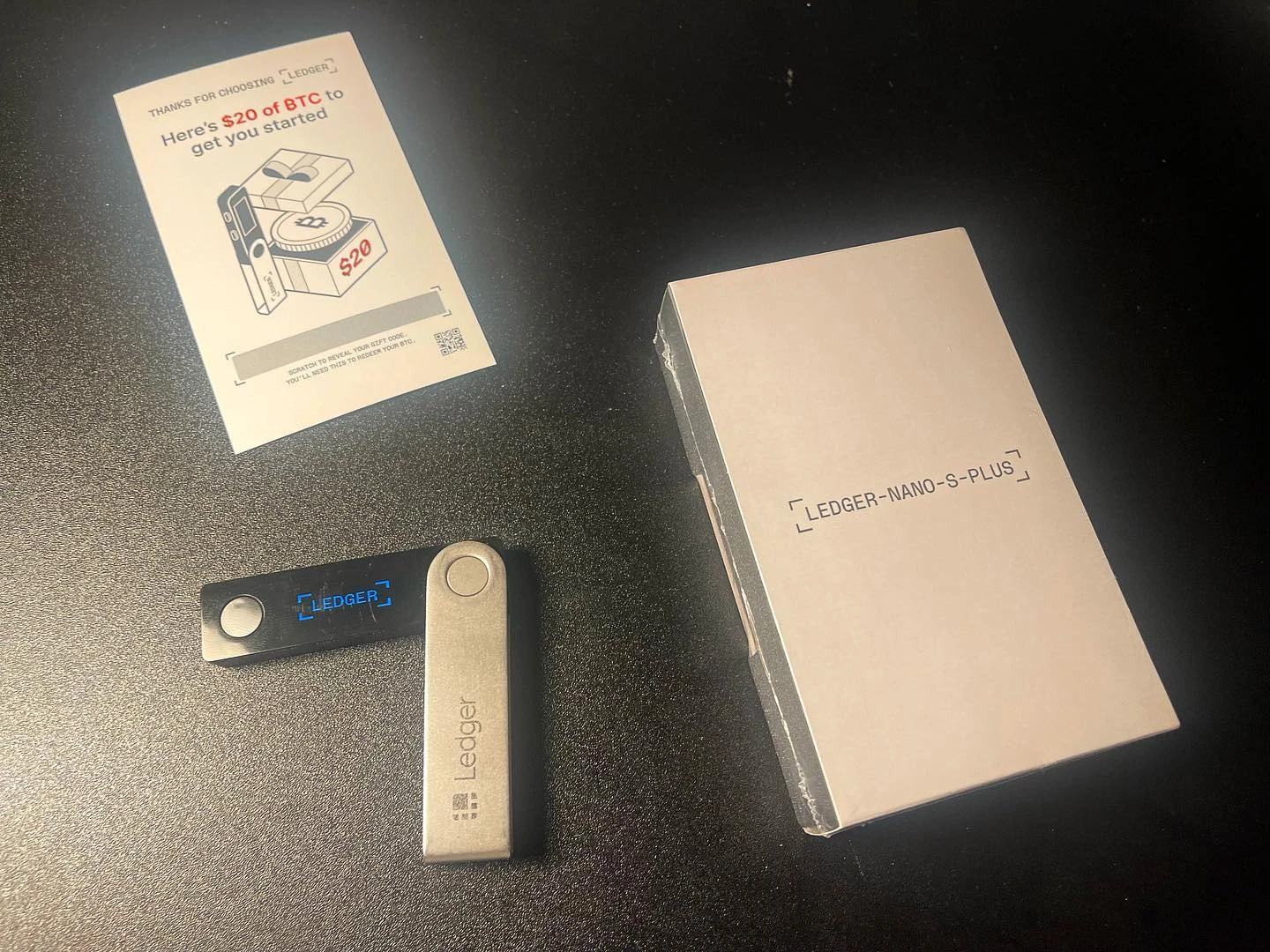
- Outer packaging is undamaged and the carrier label is intact.
- Factory tamper seal is continuous and unbroken.
- Inner packaging is sealed cleanly.
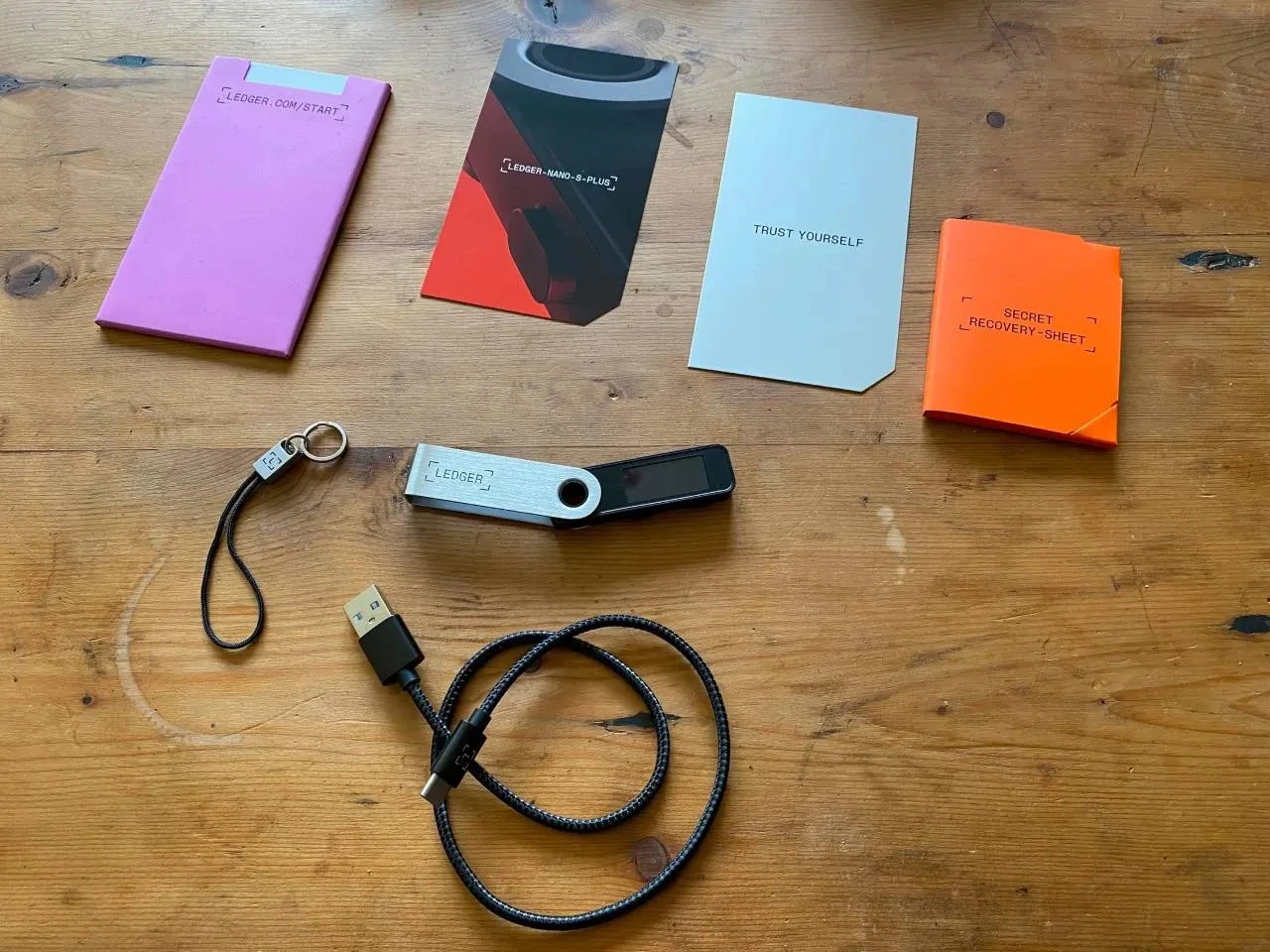
- All accessories listed on the spec sheet are present.
- Recovery Sheet is blank — any pre-written words = counterfeit.
- Power-on shows 'Welcome' with no prior data.
- Genuine Check inside Ledger Live returns green.
Safety reminder: Use only the official Ledger site and Ledger Live. Never type your recovery phrase or PIN into a webpage and never share them with anyone. Pause and verify the moment anything looks unusual.
What the Ledger Packaging Seal Is Actually For
The tamper seal and sealed packaging are Ledger's physical-layer anti-counterfeit measure. Understanding how they work stops most pre-activated device scams.
How the seal works
The seal is designed to be destroyed when opened. Resealing it after tampering is visibly detectable — adhesive residue, misaligned edges, or colour mismatches.
Inspect these three areas
- Outer box seal — factory tape should be clean and continuous.
- Inner pouch — the plastic wrap should be sealed cleanly.
- Device port covers — port stickers should be intact.
If the seal is broken
Don't proceed with initialisation. Photograph the packaging, contact the seller/support and hold off on powering on.
Safety reminder: Use only the official Ledger site and Ledger Live. Never type your recovery phrase or PIN into a webpage and never share them with anyone. Pause and verify the moment anything looks unusual.
What Ledger Authenticity Checking Really Is — Four Dimensions
Ledger authenticity checking is not a single look at the box. It is a four-dimension check that lets you be confident the device is genuine and untampered.
Dimension 1 — Packaging and seal
Factory-sealed box with intact one-time tamper seal. Any break is a red flag.
Dimension 2 — Physical appearance
Matches official product shots: weight, finish, button feel, port alignment, screen behaviour at power-on.
Dimension 3 — Firmware and Genuine Check
Ledger Live's Genuine Check returns green. Firmware version matches what the official release page currently lists.
Dimension 4 — Operational behaviour
Init flow produces a fresh 24-word phrase on the device. No pre-generated words, no external prompts for the phrase.
Safety reminder: Use only the official Ledger site and Ledger Live. Never type your recovery phrase or PIN into a webpage and never share them with anyone. Pause and verify the moment anything looks unusual.
Download-Phase Phishing Risks — Bundled Software and Fake Entry Points
The download step is a common phishing attack surface. Fakes come in two flavours: fake entry pages and bundled software hidden in the installer.
Fake entry pages
Sponsored search ads that impersonate ledger.com. These lead to look-alike download pages serving tampered installers.
Bundled software
Non-official installers sometimes bundle extra software that harvests clipboard content or credentials.
Defence
- Only download from ledger.com.
- Verify hash and signature before running the installer.
- Run the Genuine Check inside Ledger Live after install.
Safety reminder: Use only the official Ledger site and Ledger Live. Never type your recovery phrase or PIN into a webpage and never share them with anyone. Pause and verify the moment anything looks unusual.
Entry-Point Verification and Phishing Reminders (Free)
This page summarises how YueQianBao handles entry-point verification for Ledger users.
Suggested order
- First — verify the entry point.
- Second — confirm the download source.
- Third — run the Genuine Check on the device after setup.
High-risk reminders
Anyone asking for your recovery phrase or PIN is a scammer. Any 'urgent' firmware message outside the official app is suspicious. Never photograph or upload the phrase.
Safety reminder: Use only the official Ledger site and Ledger Live. Never type your recovery phrase or PIN into a webpage and never share them with anyone. Pause and verify the moment anything looks unusual.
The Official Ledger URL and How to Recognise It — Anti-Phishing Guide (Alt)
Companion to the main anti-phishing guide — a second pass with the same checks in a shorter format.
Core checks
- Domain spelled exactly 'ledger.com'.
- Valid HTTPS certificate issued to Ledger SAS.
- No demand for the recovery phrase anywhere on the site.
What to do when in doubt
Close the tab, type the URL by hand, bookmark the real page, and report the fake one.
Safety reminder: Use only the official Ledger site and Ledger Live. Never type your recovery phrase or PIN into a webpage and never share them with anyone. Pause and verify the moment anything looks unusual.
How to Identify a Fake Ledger Site — Site Signals and the Recovery-Phrase Trap
Fake Ledger sites are a common scam. This guide lists the recognisable signals.
Domain and URL
Common patterns: misspelt ledger.com variants, strange TLDs, and homograph attacks with Cyrillic characters that look like Latin ones.
The recovery-phrase trap
The single clearest fake-site signal: any page asking you to type in the recovery phrase. Ledger will never request it online.
Protective steps
Type the address manually. Use a bookmark. Never enter the phrase anywhere online.
Safety reminder: Use only the official Ledger site and Ledger Live. Never type your recovery phrase or PIN into a webpage and never share them with anyone. Pause and verify the moment anything looks unusual.
The Official Ledger URL and How to Recognise It — Anti-Phishing Guide
This page helps you find the genuine Ledger entry point and avoid phishing pages.
Key checks
Verify the domain spelling letter by letter. Confirm an HTTPS connection and a valid certificate. Beware of sponsored search results impersonating the official site.
Common fake patterns
Slightly misspelled domains, pages demanding the recovery phrase, urgent pop-ups pressuring you to act.
Safety tips
Bookmark the site after you've confirmed it. Don't click search results directly. Cross-check via multiple channels if anything feels off.
Note: YueQianBao is a third-party reference site, not the Ledger official site. The only official Ledger domain is ledger.com.
Safety reminder: Use only the official Ledger site and Ledger Live. Never type your recovery phrase or PIN into a webpage and never share them with anyone. Pause and verify the moment anything looks unusual.