查看正文
Flex资料整理|触控屏、连接与便携

Flex资料整理|触控屏、连接与便携

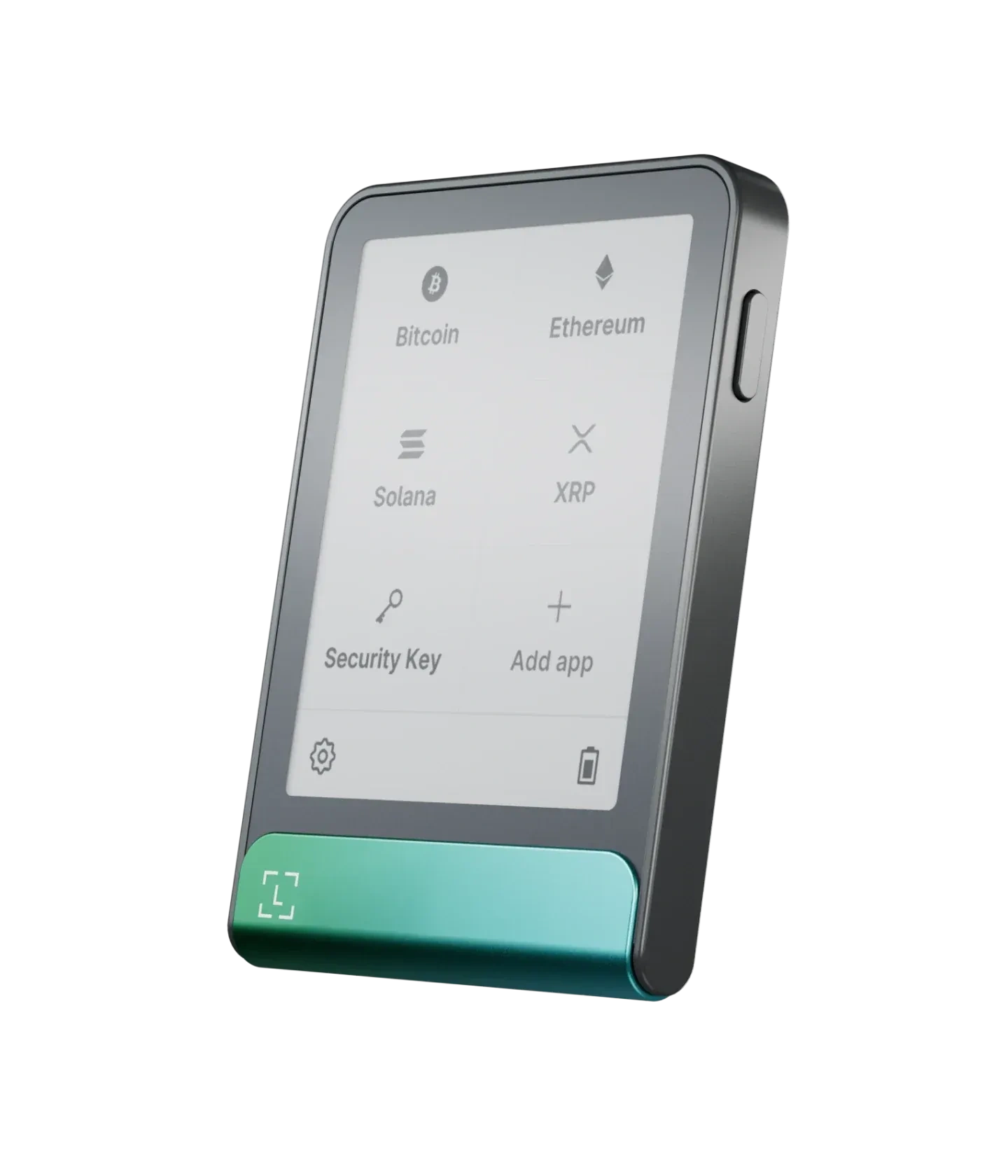
Flex资料整理可按触控屏、连接与便携字段归档,记录 E Ink 显示、蓝牙、USB-C、NFC、机身尺寸、重量和桌面使用位置。

  • Ledger 设备支持官方验真
  • 中文答疑与使用支持
  • 助记词由用户自行保管
售价 ¥1999 咨询客服下单
原价 ¥2200
正品保障
隐私保护
专业客服

可选版本

标准版

具体版本库存请咨询客服确认

规格参数

连接方式:蓝牙 Bluetooth®(BLE 5.2,适配 iOS/Android);NFC(用于 Ledger Recovery Key & Security Key);USB Type-C(桌面使用)
接口类型:USB Type-C;蓝牙(BLE 5.2);NFC
交互方式:E Ink® 触控屏;16 灰阶;分辨率 480×600;玻璃与防眩光涂层
尺寸重量:78.4mm × 56.5mm × 7.7mm;约 57.5g
安全方案:Secure Element 安全芯片(ST33K1M5);芯片认证 CC EAL6+;Ledger OS
兼容范围:64位电脑系统(Windows 10/11;macOS Big Sur/Monterey/Ventura;Ubuntu LTS 20.04/22.04,不含ARM处理器);手机系统(iOS 14+ 或 Android 10+);不兼容 Chromebook
盒内清单:设备本体;USB-C to USB-C 线;恢复信息纸;Ledger Recovery Key;指南

验真与注意

初始化本人完成;恢复信息只离线保存
确认以设备屏幕信息为准
下载与更新只走官方说明路径,警惕相似安装包与相似入口页面

适用场景

希望触控屏确认更直观,但又不想要过大体积的选择
手机与电脑都要用(蓝牙+USB-C)
需要 NFC(用于 Recovery Key / Security Key 场景)的用户

服务范围

移动+桌面混合 / 触控确认 / 注重阅读清晰度
长期使用

隐私保护

离线保存 + 设备端确认

产品介绍

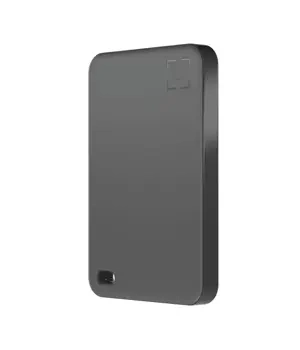
Flex资料整理,重点是把触控屏、连接方式、便携尺寸和桌面位置分别记录。Flex 的 E Ink 触控显示、蓝牙、USB-C、NFC 和机身重量都适合写成字段表,便于与 Stax 等型号分开复查。

Flex触控屏资料

触控屏字段可记录显示类型、灰阶层次、触控方式和确认动作。型号入口可参考 Ledger Flex专题,用于统一型号名称和页面路径。

连接字段分三类

连接资料可按蓝牙、USB-C 和 NFC 三类记录。蓝牙对应移动端页面,USB-C 对应桌面连接,NFC 单独保留能力字段。应用页面可参考 Ledger Wallet专题

便携尺寸单独记录

  • 尺寸:记录长、宽、厚。
  • 重量:记录克重和随身放置方式。
  • 位置:记录桌面点位、收纳袋或底座旁位置。

配件和收纳资料可参考 配件与周边专题,不要把保护套、线材和设备参数写在同一栏。

与Stax对照查看

Flex 与 Stax 都是触控屏型号,但屏幕形态、尺寸和桌面摆放字段不同。Stax 资料可参考 Ledger Stax资料页,用于对照触控屏和桌面字段。

资料表还可以增加“便携场景”一栏,记录随身包、桌面点位和收纳盒位置。Flex 的触控屏与便携尺寸放在同一张表中,能更清楚地区分移动端和桌面端记录。

如果 Flex 与 Stax 同时出现,Flex 可重点记录便携位置和触控屏字段,Stax 则重点记录桌面角度。两者分开后,型号资料不会互相套用同一组描述。

表格完成后,补充查看日期和收纳备注,便于后续继续维护。

Flex资料表

项目记录内容复查路径
触控屏E Ink、灰阶、触控动作型号专题
连接蓝牙、USB-C、NFC应用页面
便携尺寸、重量、收纳位置配件专题
Flex触控屏连接与便携尺寸资料表

常见疑问

整理 Flex 时,先写触控屏和连接,再写尺寸与便携位置。这样设备资料、应用页面和配件资料会保持分层,不会互相覆盖。
常见问题

Q Ledger恢复词记录资料|离线记录与设备状态
A

Ledger恢复词记录资料应先看离线记录和设备状态。读者需要确认当前记录是否完整可读、设备是否仍能解锁、屏幕是否停在清楚页面。不要把不完整资料写进应用页面,也不要把 PIN 和恢复词混在一起。

恢复词记录先看离线资料

离线记录应按保存位置、介质、字迹和顺序逐项核对。助记词整理边界可参考Ledger助记词整理资料,先确认资料状态,再看设备流程。

设备状态要和PIN分开

PIN 用于当前设备解锁,恢复词用… 查看更多问题

Q Ledger网络应用核对|目录容量与同步记录
A

Ledger网络应用核对应从目录名称、设备容量和同步记录三处看。目录名称说明当前可见范围,设备容量影响能同时保留多少应用,同步记录说明页面是否已完整加载。三处资料分开写,读者就不会把目录显示理解成外部账户操作。

这类FAQ只回答支持范围的本地核对方法,不延伸到外部服务选择或账户动作。建议先固定页面入口,再写设备型号和查看时间,最后补充页面是否完成同步。

Ledger网络应用目录容量同步记录表查看更多问题

Q Ledger设备状态复核|恢复资料与应用视图
A

Ledger设备状态复核要先把硬件表现、离线恢复资料和应用视图分成三栏。设备不能正常响应时,先写屏幕、按键、连接线和查看时间;账户记录则看应用页面能否在固定环境中打开。这样处理能把设备现象和页面记录分开,不把外观或连接表现直接写成账户记录结论。

本页只说明本地复核顺序:先看设备状态,再看恢复资料,随后看应用视图,最后决定是否用新设备继续流程。每一步都用可复查的记录表达,避免用情绪化词语替代事实。

Ledger设备状态恢复资料应用…
<a href="/learn-faq-14/ledger-device-broken-assets.html" class="pdt-faq__more">查看更多问题</a>
</div>
</div>
</details>

<details class="pdt-faq__item">
<summary class="pdt-faq__question">
<span class="pdt-faq__q-icon">Q</span>
<span class="pdt-faq__q-text">Ledger联网资料|屏幕确认与页面同步</span>
<svg class="u-ico u-ico--xs pdt-faq__arrow" aria-hidden="true" focusable="false" fill="none" stroke="currentColor" stroke-width="2" stroke-linecap="round" stroke-linejoin="round">
<use href="/template/default/icons/icons.svg?v=1.69#chevron-down"></use>
</svg>
</summary>
<div class="pdt-faq__answer">
<span class="pdt-faq__a-icon">A</span>
<div class="pdt-faq__a-text">
<p>Ledger联网资料要分清设备屏幕确认和 Ledger Wallet 页面同步。设备屏幕负责显示当前确认步骤,应用页面负责展示和同步页面状态。两者要分栏记录,不要把页面未同步直接写成设备问题。</p>
<h2>联网边界先分设备和页面</h2>
<p>设备端提示应以硬件屏幕为准,页面同步则看电脑或手机连接环境。应用角色可参考<a href="/basics/faq-98357.html">Ledger Wallet角色资料</a>,先区分设备层和页面层。</p>
<h2>页面同步需要连接环境记录</h2>
<p>如果页面没有刷新或目录没有显示,先写明网络环境、连接方式和页面名称。连接排查可…
<a href="/learn-faq-14/ledger-offline-usage.html" class="pdt-faq__more">查看更多问题</a>
</div>
</div>
</details>

<details class="pdt-faq__item">
<summary class="pdt-faq__question">
<span class="pdt-faq__q-icon">Q</span>
<span class="pdt-faq__q-text">Ledger链支持资料|应用目录与设备型号</span>
<svg class="u-ico u-ico--xs pdt-faq__arrow" aria-hidden="true" focusable="false" fill="none" stroke="currentColor" stroke-width="2" stroke-linecap="round" stroke-linejoin="round">
<use href="/template/default/icons/icons.svg?v=1.69#chevron-down"></use>
</svg>
</summary>
<div class="pdt-faq__answer">
<span class="pdt-faq__a-icon">A</span>
<div class="pdt-faq__a-text">
<p>Ledger链支持资料应从应用目录、设备型号和页面记录三处核对。这里讨论的是页面中如何记录网络名称和应用名称,不延伸到外部操作方向。先写下要核对的名称,再看 Ledger Wallet 页面和设备状态。</p>
<h2>链支持先看应用目录</h2>
<p>应用目录能帮助读者查看页面中的网络名称和应用名称。Ledger Wallet 的页面角色可参考<a href="/basics/faq-98357.html">Ledger Wallet角色资料</a>,先明确页面展示内容和设备端确认不是同一层。</p>
<h2>设备型号会影响目录记录</h2>
<p>不同型号的容量、屏幕和连接方式不同…
<a href="/learn-faq-14/ledger-supported-chains.html" class="pdt-faq__more">查看更多问题</a>
</div>
</div>
</details>

</div>

</section>


        <div class="pdt-cta-bottom">
          <div class="pdt-cta-bottom__inner">
            <p class="pdt-cta-bottom__title">对此产品有疑问?</p>
            <p class="pdt-cta-bottom__desc">针对 Ledger 设备使用、连接或固件问题,提供中文答疑支持</p>
            <button type="button" class="pdt-cta-btn pdt-cta-btn--lg" data-popup-trigger="ctaPopup" aria-haspopup="dialog" aria-label="咨询入口">
              <svg class="u-ico u-ico--sm" aria-hidden="true" focusable="false" fill="none" stroke="currentColor" stroke-width="2" stroke-linecap="round" stroke-linejoin="round">
                <use href="/template/default/icons/icons.svg?v=1.69#shopping-cart"></use>
              </svg>
              <span>即刻下单</span>
            </button>
          </div>
        </div>
      </div>
    </div>
    
<nav class="pdt-nav-prev-next" aria-label="产品导航">
  <div class="pdt-container">
    <div class="pdt-nav-prev-next__grid">
      <div class="pdt-nav-prev-next__item pdt-nav-prev-next__item--prev">
        
        <a href="/device-stax/" class="pdt-nav-prev-next__link">
          <svg class="u-ico u-ico--sm" aria-hidden="true" focusable="false" fill="none" stroke="currentColor" stroke-width="2" stroke-linecap="round" stroke-linejoin="round">
            <use href="/template/default/icons/icons.svg?v=1.69#arrow-left"></use>
          </svg>
          <span class="pdt-nav-prev-next__text">
            <span class="pdt-nav-prev-next__label">上一个</span>
            <span class="pdt-nav-prev-next__title">Ledger Stax</span>
          </span>
        </a>
        
      </div>
      <div class="pdt-nav-prev-next__item pdt-nav-prev-next__item--back">
        <a href="/products/" class="pdt-nav-prev-next__link pdt-nav-prev-next__link--back">
          <svg class="u-ico u-ico--sm" aria-hidden="true" focusable="false" fill="none" stroke="currentColor" stroke-width="2" stroke-linecap="round" stroke-linejoin="round">
            <use href="/template/default/icons/icons.svg?v=1.69#grid"></use>
          </svg>
          <span>返回产品列表</span>
        </a>
      </div>
      <div class="pdt-nav-prev-next__item pdt-nav-prev-next__item--next">
        
        <a href="/compare/" class="pdt-nav-prev-next__link">
          <span class="pdt-nav-prev-next__text">
            <span class="pdt-nav-prev-next__label">下一个</span>
            <span class="pdt-nav-prev-next__title">型号对比</span>
          </span>
          <svg class="u-ico u-ico--sm" aria-hidden="true" focusable="false" fill="none" stroke="currentColor" stroke-width="2" stroke-linecap="round" stroke-linejoin="round">
            <use href="/template/default/icons/icons.svg?v=1.69#arrow-right"></use>
          </svg>
        </a>
        
      </div>
    </div>
  </div>
</nav>

  </article>
</main>
<div class="pdt-popup pdt-scope" id="ctaPopup" role="dialog" aria-modal="true" aria-labelledby="ctaPopupTitle" aria-hidden="true">
  <div class="pdt-popup__backdrop" data-popup-close></div>
  <div class="pdt-popup__container">
    <div class="pdt-popup__content">
      <header class="pdt-popup__header">
        <h3 class="pdt-popup__title" id="ctaPopupTitle">选择咨询方式</h3>
        <button type="button" class="pdt-popup__close" data-popup-close aria-label="关闭">
          <svg class="u-ico u-ico--sm" aria-hidden="true" focusable="false" fill="none" stroke="currentColor" stroke-width="2" stroke-linecap="round" stroke-linejoin="round">
            <use href="/template/default/icons/icons.svg?v=1.69#x"></use>
          </svg>
        </button>
      </header>
      <p class="pdt-popup__desc">如需了解 Ledger 型号规格、连接方式或使用注意事项,可先在线咨询</p>
      <div class="pdt-popup__shops">
        
        <a href="https://weidian.com/?userid=1807439035" class="pdt-shop-card" target="_blank" rel="noopener noreferrer nofollow">
          <span class="pdt-shop-card__icon">
            <svg class="u-ico u-ico--md" aria-hidden="true" focusable="false" fill="none" stroke="currentColor" stroke-width="2" stroke-linecap="round" stroke-linejoin="round">
              <use href="/template/default/icons/icons.svg?v=1.69#shopping-bag"></use>
            </svg>
          </span>
          <span class="pdt-shop-card__info">
            <span class="pdt-shop-card__name">淘宝店铺</span>
            <span class="pdt-shop-card__desc">官方授权 · 7天无理由</span>
          </span>
          <svg class="u-ico u-ico--sm pdt-shop-card__arrow" aria-hidden="true" focusable="false" fill="none" stroke="currentColor" stroke-width="2" stroke-linecap="round" stroke-linejoin="round">
            <use href="/template/default/icons/icons.svg?v=1.69#chevron-right"></use>
          </svg>
        </a>
        
        
        <a href="https://weidian.com/?userid=1807439035" class="pdt-shop-card" target="_blank" rel="noopener noreferrer nofollow">
          <span class="pdt-shop-card__icon">
            <svg class="u-ico u-ico--md" aria-hidden="true" focusable="false" fill="none" stroke="currentColor" stroke-width="2" stroke-linecap="round" stroke-linejoin="round">
              <use href="/template/default/icons/icons.svg?v=1.69#shopping-cart"></use>
            </svg>
          </span>
          <span class="pdt-shop-card__info">
            <span class="pdt-shop-card__name">京东店铺</span>
            <span class="pdt-shop-card__desc">自营配送 · 极速发货</span>
          </span>
          <svg class="u-ico u-ico--sm pdt-shop-card__arrow" aria-hidden="true" focusable="false" fill="none" stroke="currentColor" stroke-width="2" stroke-linecap="round" stroke-linejoin="round">
            <use href="/template/default/icons/icons.svg?v=1.69#chevron-right"></use>
          </svg>
        </a>
        
        
        <a href="https://weidian.com/?userid=1807439035" class="pdt-shop-card" target="_blank" rel="noopener noreferrer nofollow">
          <span class="pdt-shop-card__icon">
            <svg class="u-ico u-ico--md" aria-hidden="true" focusable="false" fill="none" stroke="currentColor" stroke-width="2" stroke-linecap="round" stroke-linejoin="round">
              <use href="/template/default/icons/icons.svg?v=1.69#globe"></use>
            </svg>
          </span>
          <span class="pdt-shop-card__info">
            <span class="pdt-shop-card__name">官方商城</span>
            <span class="pdt-shop-card__desc">品牌直营 · 正品保障</span>
          </span>
          <svg class="u-ico u-ico--sm pdt-shop-card__arrow" aria-hidden="true" focusable="false" fill="none" stroke="currentColor" stroke-width="2" stroke-linecap="round" stroke-linejoin="round">
            <use href="/template/default/icons/icons.svg?v=1.69#chevron-right"></use>
          </svg>
        </a>
        
      </div>
      <div class="pdt-popup__fallback">
        <span>或直接</span>
        <a href="https://prod-7gl7cg7q538ffc79-1349486871.tcloudbaseapp.com/yjgwkf/index.html" target="_blank" rel="nofollow noopener noreferrer" class="pdt-popup__chat-link">
          <svg class="u-ico u-ico--xs" aria-hidden="true" focusable="false" fill="none" stroke="currentColor" stroke-width="2" stroke-linecap="round" stroke-linejoin="round">
            <use href="/template/default/icons/icons.svg?v=1.69#message-circle"></use>
          </svg>
          <span>在线客服</span>
        </a>
      </div>
    </div>
  </div>
</div>

<footer class="pb-footer" role="contentinfo">
<div class="pb-footer__inner">
<nav class="pb-footer__nav" aria-label="页脚导航">
<div class="pb-footer__grid">
<dl class="pb-footer__col">

<dt><a href="https://www.yueqianbao.com.cn/products/">产品中心</a></dt>


<dd><a href="/device-nano-gen5/" title="触屏交互·确认更直观">Ledger Nano Gen5</a></dd>

<dd><a href="/device-nano-x/" title="蓝牙连接·移动更灵活">Ledger Nano X</a></dd>

<dd><a href="/device-nano-s-plus/" title="入门稳定·上手顺畅">Ledger Nano S Plus</a></dd>

<dd><a href="/device-stax/" title="大屏触控·交互更直观">Ledger Stax</a></dd>

<dd><a href="/device-flex/" title="触屏便携·轻薄好带">Ledger Flex</a></dd>

<dd><a href="/compare/" title="一页看懂·选择更稳">型号对比</a></dd>

</dl>
<dl class="pb-footer__col">

<dt><a href="https://www.yueqianbao.com.cn/learn/">学习中心</a></dt>


<dd><a href="/basics/" title="入门必读·概念先行">基础认知</a></dd>

<dd><a href="/getting-started/" title="新手也能顺利上手">新手初始化与上手</a></dd>

<dd><a href="/security/" title="安全第一·防患未然">安全与核验</a></dd>

<dd><a href="/verification/" title="核对更清楚·心里有底">验货与真伪核验</a></dd>

<dd><a href="/learn-buying-guide/" title="边界清晰·少走弯路">选购与渠道参考</a></dd>

<dd><a href="/learn-faq-14/" title="快速定位问题">常见问题 FAQ</a></dd>

</dl>
<dl class="pb-footer__col">

<dt><a href="https://www.yueqianbao.com.cn/support/">客户支持</a></dt>


<dd><a href="/consulting/" title="按场景给建议">购买咨询</a></dd>

<dd><a href="/ticket/" title="按现象定位">售后与工单</a></dd>

<dd><a href="/app-guide/" title="入口辨别·版本核对">官方应用与下载</a></dd>

<dd><a href="/verify/" title="识别边界信号">正品查验中心</a></dd>

<dd><a href="/backup/" title="离线保管原则">初始化与备份</a></dd>

<dd><a href="/connection/" title="USB / 蓝牙分类">连接与兼容</a></dd>


<dd class="pb-footer__col-sep"><a href="https://www.yueqianbao.com.cn/delivery/">交付与配送</a></dd>

</dl>
<dl class="pb-footer__col">
<dt class="pb-footer__col-group">关于悦签宝</dt>

<dd><a href="https://www.yueqianbao.com.cn/about/">关于我们</a></dd>


<dd><a href="https://www.yueqianbao.com.cn/contact/">联系我们</a></dd>


<dd class="pb-footer__col-sep"><a href="https://www.yueqianbao.com.cn/news/">资讯与动态</a></dd>


<dd><a href="/news-product-updates/" title="掌握最新变化">产品动态</a></dd>

<dd><a href="/news-security-alerts/" title="入口核验·稳妥处理">安全说明</a></dd>

</dl>
</div>
</nav>

<nav class="pb-footer__tags" aria-label="热门标签">
<h2 class="pb-footer__tags-title">热门标签</h2>
<ul class="pb-footer__tags-list">

<li class="pb-footer__tags-item"><a href="/about-ledger/" rel="tag" class="pb-footer__tags-link" title="品牌背景·快速了解" aria-label="关于Ledger(品牌背景) · 品牌背景·快速了解">Ledger品牌</a></li>

<li class="pb-footer__tags-item"><a href="/about-yueqianbao/" rel="tag" class="pb-footer__tags-link" title="主体清晰·边界明确" aria-label="关于悦签宝YueQianBao · 主体清晰·边界明确">悦签宝</a></li>

<li class="pb-footer__tags-item"><a href="/nano-gen5/" rel="tag" class="pb-footer__tags-link" title="Gen5 专属聚合" aria-label="Ledger Nano Gen5专题 · Gen5 专属聚合">Nano Gen5</a></li>

<li class="pb-footer__tags-item"><a href="/nano-x/" rel="tag" class="pb-footer__tags-link" title="Nano X 专属聚合" aria-label="Ledger Nano X专题 · Nano X 专属聚合">Nano X</a></li>

<li class="pb-footer__tags-item"><a href="/nano-s-plus/" rel="tag" class="pb-footer__tags-link" title="S Plus 专属聚合" aria-label="Ledger Nano S Plus专题 · S Plus 专属聚合">Nano S Plus</a></li>

<li class="pb-footer__tags-item"><a href="/stax/" rel="tag" class="pb-footer__tags-link" title="Stax 专属聚合" aria-label="Ledger Stax专题 · Stax 专属聚合">Stax</a></li>

</ul>

<a href="https://www.yueqianbao.com.cn/topic/" class="pb-footer__tags-more">查看全部标签</a>

</nav>

<div class="pb-footer__bottom">
<div class="pb-footer__legal" aria-label="法务与政策">
<a href="https://www.yueqianbao.com.cn/terms/" rel="nofollow">服务条款</a>
<a href="https://www.yueqianbao.com.cn/privacy/" rel="nofollow">隐私政策</a>
<a href="https://www.yueqianbao.com.cn/cookie-policy/" rel="nofollow">Cookie政策</a>
<a href="https://www.yueqianbao.com.cn/disclaimer/" rel="nofollow">免责声明</a>
</div>

<div class="pb-footer__info">
<span>© 2024-2025 悦签宝 YueQianBao|Ledger 官网中文官方入口|Ledger 官方中文站</span>
<span>悦签宝</span>
<span>四川省成都市新都区新都街道马超西路299号</span><span>,成都</span><span>,四川</span><span> 610500</span>

<a href="https://beian.miit.gov.cn" target="_blank" rel="noopener noreferrer">蜀ICP备2026017394号-1</a>

<a href="/sitemap/">网站地图</a>
</div>


<div class="pb-footer__contact">
<a href="https://prod-7gl7cg7q538ffc79-1349486871.tcloudbaseapp.com/yjgwkf/index.html" class="pb-btn pb-btn--primary pb-footer__chat" target="_blank" rel="nofollow noopener noreferrer">
<svg class="pb-ico pb-ico--sm" aria-hidden="true" focusable="false" fill="none" stroke="currentColor" stroke-width="2" stroke-linecap="round" stroke-linejoin="round">
<use href="/template/default/icons/icons.svg?v=1.69#message-circle"></use>
</svg>
<span>在线客服</span>
</a>
</div>

</div>
</div>
</footer>

<button class="pb-btn pb-btn--icon pb-backtop" type="button" aria-label="返回顶部">
<svg class="pb-ico pb-ico--sm" aria-hidden="true" focusable="false" fill="none" stroke="currentColor" stroke-width="2" stroke-linecap="round" stroke-linejoin="round">
<use href="/template/default/icons/icons.svg?v=1.69#arrow-up"></use>
</svg>
</button>

<div class="pb-float" aria-label="快捷联系">

<button class="pb-btn pb-btn--wechat pb-float__btn" type="button" data-action="open-wechat" aria-label="微信公众号客服">
<svg class="pb-ico pb-ico--sm" width="20" height="20" aria-hidden="true" focusable="false">
<use href="/template/default/icons/icons.svg?v=1.69#brand-wechat"></use>
</svg>
<span>微信公众号</span>
</button>


<a href="https://prod-7gl7cg7q538ffc79-1349486871.tcloudbaseapp.com/yjgwkf/index.html" class="pb-btn pb-btn--primary pb-float__btn" target="_blank" rel="nofollow noopener noreferrer" aria-label="在线客服">
<svg class="pb-ico pb-ico--sm" aria-hidden="true" focusable="false" fill="none" stroke="currentColor" stroke-width="2" stroke-linecap="round" stroke-linejoin="round">
<use href="/template/default/icons/icons.svg?v=1.69#message-circle"></use>
</svg>
<span>客服</span>
</a>

</div>

<div class="pb-mobile-bar" role="navigation" aria-label="底部导航">
<a href="/" class="pb-mobile-bar__item" aria-label="返回首页">
<svg class="pb-ico pb-ico--sm" aria-hidden="true" focusable="false" fill="none" stroke="currentColor" stroke-width="2" stroke-linecap="round" stroke-linejoin="round">
<use href="/template/default/icons/icons.svg?v=1.69#home"></use>
</svg>
<span>首页</span>
</a>

<button class="pb-mobile-bar__item" type="button" data-action="open-wechat" aria-label="微信公众号客服">
<svg class="pb-ico pb-ico--sm" width="20" height="20" aria-hidden="true" focusable="false">
<use href="/template/default/icons/icons.svg?v=1.69#brand-wechat"></use>
</svg>
<span>微信公众号</span>
</button>


<a href="https://prod-7gl7cg7q538ffc79-1349486871.tcloudbaseapp.com/yjgwkf/index.html" class="pb-mobile-bar__item" target="_blank" rel="nofollow noopener noreferrer" aria-label="在线客服">
<svg class="pb-ico pb-ico--sm" aria-hidden="true" focusable="false" fill="none" stroke="currentColor" stroke-width="2" stroke-linecap="round" stroke-linejoin="round">
<use href="/template/default/icons/icons.svg?v=1.69#message-circle"></use>
</svg>
<span>在线客服</span>
</a>


<button class="pb-mobile-bar__item pb-mobile-bar__top" type="button" aria-label="返回顶部">
<svg class="pb-ico pb-ico--sm" aria-hidden="true" focusable="false" fill="none" stroke="currentColor" stroke-width="2" stroke-linecap="round" stroke-linejoin="round">
<use href="/template/default/icons/icons.svg?v=1.69#arrow-up"></use>
</svg>
<span>顶部</span>
</button>
</div>


<div class="pb-wechat-popup" id="wechatPopup" role="dialog" aria-modal="true" aria-labelledby="wechatPopupTitle" hidden>
<div class="pb-wechat-popup__overlay" data-action="close-wechat"></div>
<div class="pb-wechat-popup__content">
<div class="pb-wechat-popup__header">
<h3 id="wechatPopupTitle" class="pb-wechat-popup__title">微信扫码咨询</h3>
<button class="pb-wechat-popup__close" type="button" data-action="close-wechat" aria-label="关闭">
<svg class="pb-ico pb-ico--sm" aria-hidden="true" focusable="false" fill="none" stroke="currentColor" stroke-width="2" stroke-linecap="round" stroke-linejoin="round">
<use href="/template/default/icons/icons.svg?v=1.69#x"></use>
</svg>
</button>
</div>
<div class="pb-wechat-popup__body">
<img src="https://newedger.cdn.bcebos.com/20260509/1778329297565904.jpg" alt="微信二维码" class="pb-wechat-popup__qrcode" width="200" height="200" loading="lazy" decoding="async" onerror="this.onerror=null;this.src=

微信公众号: 悦签宝服务

打开微信扫一扫,或长按保存二维码